
Support
Frequently asked questions
Short answers. Honest ones. Can't find yours? WhatsApp us on +91 87996 33536.
Buying & delivery
Where do you deliver?
Across India, to serviceable PIN codes. Check yours on the product page or at checkout.
How long does delivery take?
Most orders arrive within 2–7 working days of dispatch. Remote areas can take a little longer.
Is delivery free?
Yes, delivery is free.
How do I track my order?
We'll send a tracking link when it ships. You can also use Track Order or message us on WhatsApp.
Can I cancel my order?
Yes, free of charge before it ships. Just message us with your order ID.
Is the price inclusive of GST?
Yes. The price shown includes all taxes, and you'll get a GST invoice.
Do you sell on Amazon too?
Yes. Our products are also listed on Amazon India. Buying here gets you direct support from our team.
Where are PandaX products made?
They're made in China and imported, quality-checked and sold by PandaX Consumer Private Limited, Vadodara. Each unit is tested by us before dispatch.
Can I buy in bulk for a building or office?
Yes. See For Business or email support@pandaxglobal.com.
Installation
Can I install the doorbell myself?
Yes. It's wireless and battery-powered. Stick the base with the adhesive or fix it with screws, pair it in the app, and plug the chime into a USB power point indoors.
Do I need to drill holes for the doorbell?
Not necessarily. You can use the adhesive base. Screws give a firmer fit if you prefer.
Does the doorbell need wiring or an electrician?
No wiring is needed. It runs on its built-in rechargeable battery. That makes it a good fit for rented flats.
Who installs the smart lock?
We recommend professional installation, and we offer it free. Once your lock is delivered, we'll call to book a technician.
What does lock installation involve?
The technician cuts a slot in the door edge for the mortise (bolt) body, drills holes for the front and back panels, fits everything and sets up the lock with you. It changes your door permanently, so check with your landlord or society if you rent.
Will the lock fit my door?
It suits wooden, steel and aluminium doors 35–65 mm thick that can take a mortise lock. If you have a safety door in front, you need at least 85 mm gap between the two doors. Not sure? Send us a photo of your door edge and a thickness measurement on WhatsApp.
Can it go on a door that faces the open sky?
Please don't. The lock needs a covered spot, away from direct rain and sunlight.
What if the technician finds my door doesn't suit the lock?
If that's found before any cutting starts, we take the lock back and refund you in full.
Video doorbell
What's the video quality?
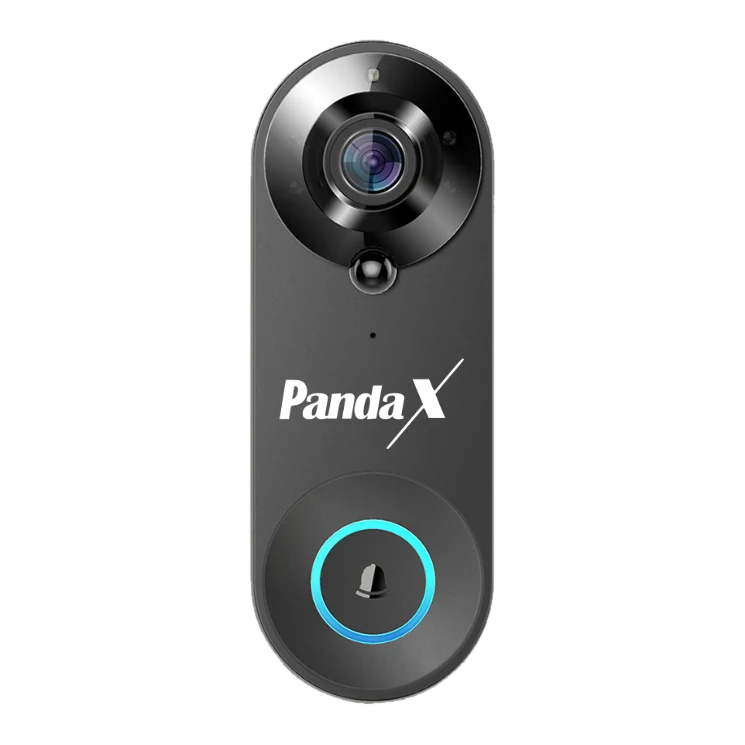
1080p Full HD with a 160° wide horizontal view, so you see who's at the door and more of the corridor.
Does it work at night?
Yes. Infrared night vision sees up to about 5 metres in the dark (in black and white).
Can I talk to the person at the door?
Yes. Two-way audio with echo cancellation lets you speak and listen through your phone, from anywhere with internet.
How does motion detection work?
A PIR sensor picks up warm, moving bodies near the door and sends an instant alert to your phone. It can also be triggered by pets or people passing by, so place it thoughtfully.
Will it ignore pets and only alert for people?
No, we don't promise that. PIR motion detection can't always tell a person from a pet or a passer-by. If you get too many alerts, check the motion settings in the app or adjust where it's mounted.
How long does the battery last on one charge?
It depends on how often it wakes up — rings, motion alerts and live view all use power. We don't quote a fixed number of months because usage varies so much. The app shows the battery level, so you can charge it before it runs out. It has a 4400 mAh rechargeable battery.
How do I charge it?
Use the included USB cable with a 5V 1A adapter (a regular phone charger). A red light means charging, green means full.
Is there an indoor chime?
Yes. A plug-in USB chime is included, with 56 melodies and 5 volume levels. Plug it into any USB power point inside your home.
Does it record?
Yes, to a microSD card (up to 64 GB, not included) or to cloud storage. Cloud storage comes with a free trial and is then a paid plan bought in the Smart Life app.
Is the SD card included?
No. Use any microSD card up to 64 GB.
Is cloud storage free?
There's a free trial (usually 30 days). After that it's a paid subscription from Tuya, the Smart Life app provider, priced in the app. You can skip it and use a microSD card instead.
Can my family see the doorbell too?
Yes. Share the device with family members in the Smart Life app, and they'll get alerts and live view on their phones.
Does it work with Alexa or Google Assistant?
We don't currently advertise voice-assistant support for the doorbell.
Is it waterproof?
We don't claim a waterproof rating. Mount it in a sheltered spot, such as under a porch or in a corridor.
Smart lock
What are the ways to unlock?
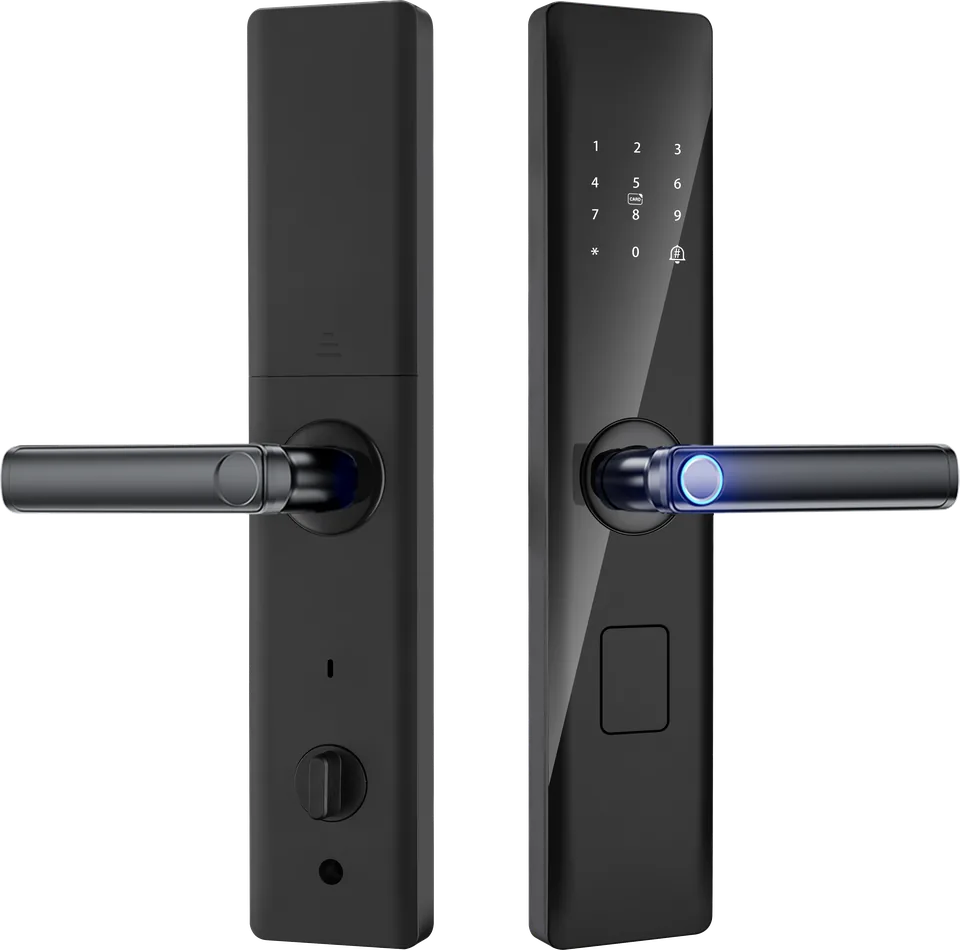
Six: fingerprint, PIN code, RFID card, mechanical key, remote unlock in the Smart Life app, and temporary or one-time codes for guests.
How many fingerprints can it store?
Up to 100.
What if someone watches me type my PIN?
Use the anti-peep feature: type random digits before or after your real PIN. The lock still opens as long as your real PIN is in there (up to 48 digits in total).
Does it need Wi-Fi to work?
No. Fingerprint, PIN, card and key all work without Wi-Fi. You need 2.4 GHz Wi-Fi only for app features like remote unlock, guest codes, alerts and the activity log.
What happens during a power cut?
Nothing changes. The lock runs on 4 AA batteries, not mains power.
How long do the batteries last?
Approximately 6 months or up to 1,000 unlocks with good-quality alkaline AA batteries (we recommend Duracell or Energizer). The lock warns you when the batteries are low.
What if the batteries die completely?
Connect a power bank to the emergency Micro-USB port on the outside panel, then unlock with your fingerprint or PIN. You can also always use the mechanical key.
What happens after wrong attempts?
After 5 wrong tries the keypad locks for 90 seconds and an alarm sounds. If the lock is connected to the app, you'll get an alert.
Does it lock automatically?
Yes, it has an auto-lock feature.
Can I give a guest or house help temporary access?
Yes. Create a temporary or one-time code in the Smart Life app, or add their fingerprint or a card and remove it later.
Can I see who came in?
Yes. The app keeps an activity log of unlocks when the lock is connected to Wi-Fi.
What security grade is the cylinder?
Grade C mechanical cylinder, with a 5-bolt mortise lock body.
App & Wi-Fi
Which app do I use?
The free Smart Life app on Android or iPhone. Both PandaX products work in the same app.
Does it work with 5 GHz Wi-Fi?
No. Both products need 2.4 GHz Wi-Fi. Most home routers have both bands. If yours shows only one network name, it may be combining them — enable 2.4 GHz or "mixed mode" in your router settings, or ask your internet provider.
The doorbell won't pair. What should I check?
Make sure: your phone is on the same 2.4 GHz Wi-Fi, the password is correct, the doorbell is charged, and you're close to the router. Then reset the doorbell and try again. See our setup guide.
The doorbell keeps going offline.
Usually it's Wi-Fi signal at the door. Move the router closer or add a range extender, avoid mounting on metal, and make sure the doorbell is charged. See troubleshooting.
I'm not getting alerts on my phone.
Turn on notifications for Smart Life, turn off battery optimisation for the app, and on Android allow auto-launch and background activity.
I changed my Wi-Fi name or password. What now?
Remove the device from the app, reset it, and pair it again with the new details.
Where is my video and lock data stored?
In the Smart Life app's cloud, run by Tuya, under its privacy policy — or on your microSD card for doorbell recordings. PandaX doesn't see your footage. See our Privacy Notice.
Warranty & returns
What's the warranty?
1 year on the video doorbell, 2 years on the smart lock, against manufacturing defects.
How do I claim warranty?
WhatsApp or email us with your order ID and a photo or video of the problem. We'll troubleshoot with you, then arrange a free technician visit where available, or a pickup for repair or replacement.
My product arrived damaged. What do I do?
Message us within 48 hours of delivery with photos, and the unboxing video if you have one. We'll send a replacement or refund you.
Can I return it if I change my mind?
We're finalising our change-of-mind policy. Please WhatsApp or email us before you send anything back and we'll tell you what applies to your order.
How long do refunds take?
We start your refund within 2 working days of approval. UPI refunds usually arrive in 1–3 working days; cards and net banking in 5–7 working days.
Payments
How can I pay?
UPI, debit and credit cards, net banking and more through Razorpay, plus Cash on Delivery on eligible PIN codes.
Is Cash on Delivery available?
Yes, on many PIN codes. Checkout will show whether it's available for yours.
Is online payment safe?
Yes. Payments are processed by Razorpay, a licensed payment gateway. We never see your full card details or UPI PIN.
Do you offer EMI?
Payment options, including any EMI offers, are shown at checkout. Message us if you'd like to check before you order.
Money was debited but the order failed. What now?
Failed payments are usually reversed automatically by your bank within a few working days. If not, send us the transaction ID and we'll sort it out.
Didn't find your answer?
WhatsApp or email us with your order ID, the product and a short video of the problem. We usually reply within 24 hours.